
Alternatives to ContextBolt
Explore the best alternatives and competitors to ContextBolt.
Explore 20 alternatives to ContextBolt. Compare features, pricing, and find the best fit for your needs.

ConnectMachine
Still handing out paper business cards? ConnectMachine is a free digital business card that saves straight into the other person's contacts.

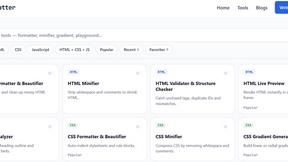
JoMatter
Jomatter provides free online tools for HTML, CSS, and JavaScript developers, helping simplify common web development and coding tasks.


GenX
All-in-one AI workspace to generate images, videos, and audio with multiple leading AI models.

Bloom
An adaptive AI tutor that turns topics or your materials into courses, lessons, and answers tailored to how you learn.
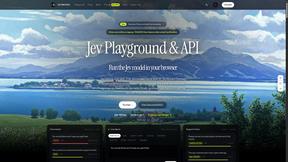
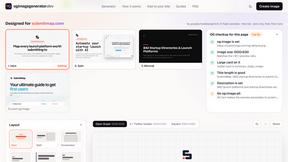
ogimagegenerator.dev
Paste a URL and AI designs on-brand Open Graph images from your page's colours, fonts and logo. Free, no sign-up.
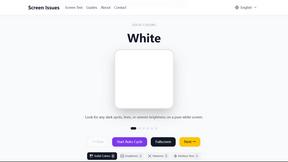
Screen Issues
Free Online Screen Test Tool - Instantly diagnose dead pixels, lines, color issues, and flickering. Multiple test modes, no download needed.
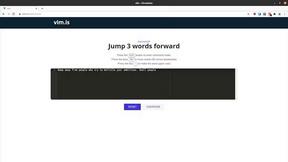
Vim.is
Vim.is is a simple online tool that helps you learn and practice Vim keyboard shortcuts quickly.

FreeVideoGenerator
Free AI video generator: turn text prompts and photos into video clips with Sora 2, Veo 3.1, Wan and more. Free starter credits, no watermark download
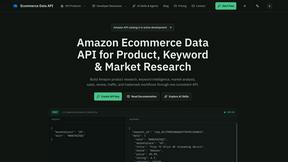
Ecommerce Data API
Amazon research data APIs, remote MCP and Agent Skills for products, keywords, markets, reviews and traffic.

Soul Cinema
Film-grade AI stills from a written shot: cinematographer lighting, one consistent cast across a sequence, and full-resolution 8K exports.

Egmatic
Egmatic is a no-code editor for 2D games that takes a project from first scene to published build, with no backend work.

FreeCreate
Create AI images from text or reference photos and turn prompts or still images into short videos with FreeCreate. Start free—no account needed.

StackLedge
A strictly human-verified software directory. Discover active SaaS apps, practical AI tools, and custom n8n workflows without bot-scraped spam.

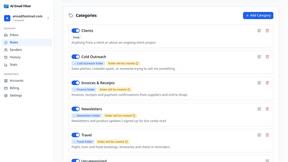
AI Email Filter
AI Email Filter sorts incoming mail into folders using plain-language prompts you write. Works with any IMAP mailbox; bring your own LLM if you want.
About ContextBolt Alternatives
ContextBolt is a platform that provides MCP-native, local-first context tools designed to integrate directly with popular AI agents such as Claude Desktop, Claude Code, Cursor, and Windsurf. It falls within the categories of AI Assistants, APIs, Automation, and Dev Tools, offering a way to bridge the gap between an AI agent and live, external data sources like bookmarks, SEO metrics, and competitor intelligence. Instead of requiring users to learn new dashboards or switch between tabs, ContextBolt allows the AI agent itself to become the primary interface for accessing this specialized data. Users often seek alternatives to ContextBolt for a variety of reasons, including specific pricing models that may not fit their budget, a need for more granular feature sets, or platform compatibility requirements that are not fully met. Some users may prefer a different integration approach, such as direct API calls rather than MCP-native tools, while others might require deeper support for specific data sources or more advanced automation capabilities. When evaluating an alternative, it is important to consider how seamlessly the tool integrates with your existing AI agent workflow, the breadth and reliability of the data sources it accesses, the level of control you have over the data (especially regarding privacy and local-first architecture), and whether the pricing scales appropriately with your usage.
FAQs about ContextBolt Alternatives
What is ContextBolt?
ContextBolt is a platform that builds MCP-native, local-first context tools for AI agents. It provides specialized servers that give your AI agent access to data it typically cannot reach, such as your personal bookmarks from social media, live SEO and competitor data, and automated competitive intelligence briefs. The tools are designed to plug into agents like Claude Desktop, Cursor, and Windsurf with a single line of configuration.
Who is ContextBolt for?
ContextBolt is for developers, power users, and professionals who rely on AI coding or productivity agents and need to extend their capabilities with live, external data. It is particularly useful for SEO specialists, product managers, and marketers who want to query competitor movements or search data directly from their AI agent without switching to a separate dashboard. It is also ideal for anyone who wants their AI agent to search through their saved posts from platforms like X, Reddit, and LinkedIn by meaning rather than just keywords.
What are the main features of ContextBolt?
ContextBolt offers three main products: Bookmarks, SEO, and Radar. Bookmarks turns your saved content from X, Reddit, and LinkedIn into a searchable library for your AI agent. SEO is a hosted server that provides live keyword, SERP, and competitor data so you can ask research questions in plain English. Radar monitors your competitors' pricing, shipping, and positioning daily and delivers concise briefs on what changed, along with suggested counter-moves.
Is ContextBolt secure?
ContextBolt is designed with a local-first architecture, meaning that the Bookmarks tool, for example, processes your personal data locally on your machine, reducing the need to send sensitive information to external servers. The SEO and Radar tools are hosted servers, but the platform emphasizes no lock-in and easy configuration, allowing you to control which data your agents access. As with any tool handling external data, you should review their specific privacy and security documentation for details on data handling and encryption.