

ihatepdf.cv
ihatepdf.cv is a privacy-first, browser-based PDF platform that provides an extensive suite of tools for editing, converting, compressing, organizing,
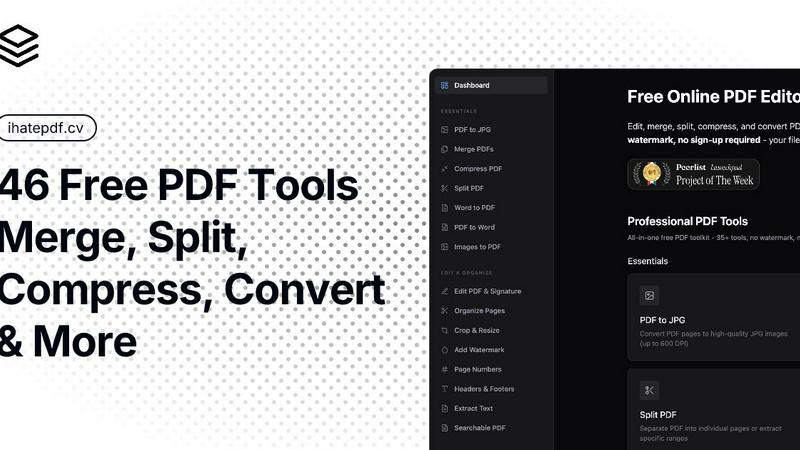
About ihatepdf.cv
ihatepdf.cv is a privacy-first, browser-based PDF platform that provides an extensive suite of tools for editing, converting, compressing, organizing, and managing PDF documents without requiring users to upload their files to a server. Built using modern web technologies such as JavaScript and WebAssembly (WASM), the platform performs document processing directly on the user’s device, ensuring maximum privacy, security, and performance.
Unlike traditional cloud-based PDF services, ihatepdf.cv keeps your documents entirely under your control. Whether you’re working with personal documents, legal contracts, financial statements, medical records, or confidential business files, every operation is executed locally within your browser, meaning your files never leave your device.
Explore more in this category:
Similar to ihatepdf.cv

Uniclip
Clip pages, take full-page screenshots and batch-capture list data to Notion, Feishu, Obsidian, Markdown, CSV or JSON.

TroveKey
Search tabs, Chrome bookmarks and history, run browser commands, and save webpages and social posts locally—no account.

JevModel
AI decision workbench that compares model answers side by side

Todowing
Chrome extension that nests Todoist sub-tasks in Today, Upcoming, Boards, Filters and Labels. Free tier, or $19.99 once for the full set.

LightScreen
Free light screen tool online. Turn any display into a flashlight, ambient light, or solid-color screen. No download or sign-up.

FixmyPDFs.cc
FixMyPDFs lets you edit, merge, split, compress and convert PDFs right in your browser. 100% free, no watermark, no sign-up.


Novastart
Apps and files on an infinite canvas where people and AI agents work together.