
Alternatives to QuickTextTools
Explore the best alternatives and competitors to QuickTextTools.
Explore 20 alternatives to QuickTextTools. Compare features, pricing, and find the best fit for your needs.

ButterShare
Transfer files between iPhone, Android, Windows, and Mac directly from your browser. Free, secure, and private. No apps, cloud storage, or signup.
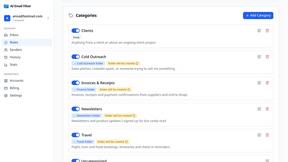
AI Email Filter
AI Email Filter sorts incoming mail into folders using plain-language prompts you write. Works with any IMAP mailbox; bring your own LLM if you want.

Product Launch Checklist
A free launch checklist for SaaS, apps, AI tools and more. Every step says why it matters and when you can skip it.

Kody Tools
Free collection of online developer utilities, code formatters, and digital converters designed to streamline your daily workflow.

tally counter
Online tally counter for tracking attendance, workouts, inventory, visitors, sports scores, habits, and everyday counting tasks.


iHatePosting
Create once, tailor for each platform, and schedule posts across 14 social networks from one simple dashboard.
PDFWix
PDFWix is a free online PDF toolkit designed to make everyday PDF tasks simple, fast, and private.
PDFKing
PDFKing is a free online PDF toolkit designed to make everyday document tasks simple, fast, and accessible. It brings essential PDF tools together in



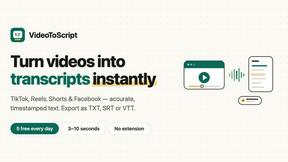
VideoToScript
Turn TikTok, Reels, Shorts, Facebook videos, audio, and video into accurate timestamped transcripts with TXT, SRT, and VTT exports.



Wisegrid
Wisegrid helps project-driven teams manage projects, workflows, resources, and reporting in a familiar spreadsheet-style workspace.


Postqued
Schedule and publish social content across 10 platforms with one dashboard, API, and MCP built for teams and AI agents.

401k Calculator
401k Calculator.info is a free online tool to estimate retirement savings, employer match, and future 401(k) growth for smarter financial planning.
About QuickTextTools Alternatives
QuickTextTools is a versatile online platform offering over 76 free utilities tailored for writers, marketers, developers, students, SEO professionals, and content creators. This comprehensive toolkit is categorized under productivity and management, aimed at enhancing efficiency and streamlining workflows. Users often seek alternatives to QuickTextTools for various reasons, including specific feature requirements, integration capabilities with other tools, or pricing structures that better fit their budgets. Additionally, some may require tools that cater to particular platforms or devices, leading them to explore other options that align with their unique needs. When searching for an alternative to QuickTextTools, it's essential to consider factors such as the range of features offered, user interface simplicity, and the platform's compatibility with your existing workflow. Look for tools that prioritize security and ease of use, ensuring that you can access the utilities directly from your browser without complicated installations. Furthermore, evaluating customer support options and user reviews can provide insights into the reliability and overall user experience of the alternatives.
FAQs about QuickTextTools Alternatives
What is QuickTextTools?
QuickTextTools is a free online platform that provides over 76 browser-based utilities designed to enhance productivity for various users, including writers, marketers, developers, and SEO professionals. The tools available on the platform help streamline tasks such as text formatting, SEO analysis, and writing assistance, making it easier for users to manage their content effectively.
Who is QuickTextTools for?
QuickTextTools is ideal for a diverse range of users, including writers, content creators, marketers, developers, students, and SEO professionals. Whether you're looking to improve your writing process, analyze SEO elements, or manage keywords efficiently, QuickTextTools offers utilities that cater to different needs across various fields.
Is QuickTextTools free?
Yes, QuickTextTools is completely free to use. Users can access a wide array of utilities without any cost, making it an accessible option for those looking to enhance their productivity and optimize their text without the burden of subscription fees or upfront payments.
What are the main features of QuickTextTools?
QuickTextTools features a diverse set of utilities including text formatting tools, SEO analysis utilities, writing assistants, and keyword management tools. These features are designed to help users clean up text, analyze SEO meta tags, convert text case formatting, and improve overall writing efficiency, all within a user-friendly online interface.