

ChatGPT Image 2
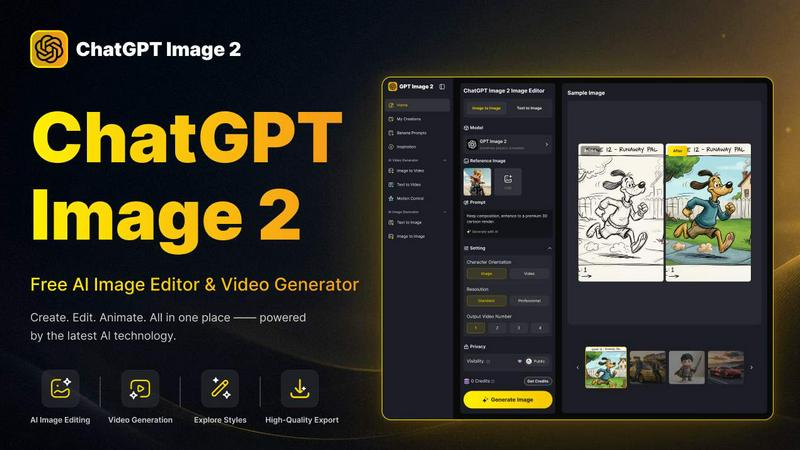
ChatGPT Image 2 is an all-in-one AI workspace for generating, editing, and transforming images and videos with professional-grade quality.
About ChatGPT Image 2
ChatGPT Image 2 is a powerful, all-in-one AI workspace designed for creators, marketers, designers, and anyone who needs high-quality visual content without navigating complex workflows. This free platform combines AI image generation, advanced image editing, and video creation into a single, streamlined tool. Users can generate entirely new images from text prompts, transform existing photos, edit visual details with precision, and animate their creations into short videos, all within one interface. The platform is built for both quick creative inspiration and professional content production, supporting a smooth creative pipeline from text to image, image to image, and image to video without the need to switch between multiple separate applications. ChatGPT Image 2 excels at producing commercial-grade output, featuring native 4K resolution for crisp, production-ready visuals that meet professional standards. Its reasoning-powered AI engine ensures near-perfect text rendering, making it ideal for marketing posters, product packaging, and brand materials where text clarity is critical. Additionally, the tool incorporates real-world knowledge to generate grounded, realistic visuals for maps, architectural scenes, historical recreations, and educational content. Whether you need social media assets, product images, character concepts, or short creative videos, ChatGPT Image 2 provides an accessible yet powerful solution for turning creative ideas into polished visual content.
Features of ChatGPT Image 2
Native 4K Resolution for Commercial-Grade Output
ChatGPT Image 2 offers high native 4K resolution without relying on post-generation upscaling. This feature ensures that every image produced is crisp, detailed, and ready for professional use in advertising creatives, website banners, packaging designs, and other commercial visual assets. The production-ready output eliminates the need for additional editing or enhancement, saving time and maintaining quality standards for design teams and marketing professionals.
Near-Perfect Text Rendering
This platform significantly improves text clarity, punctuation, and formatting within generated images. For marketing posters, UI concepts, product packaging, and brand materials, text stays neat, readable, and fully integrated with the overall visual design. This feature eliminates common issues like garbled or misaligned text that plague many AI image generators, ensuring that your final output communicates your message clearly and professionally.
Advanced Multi-Image Fusion and Editing
ChatGPT Image 2 supports sophisticated image editing capabilities, including style transfer, scene editing, and multi-image fusion. Users can combine multiple images into a single cohesive visual, swap elements within a scene, restyle existing photos, or perform detailed modifications like AI virtual try-ons, smart scene replacement, and damaged photo restoration. This feature provides granular control over the creative process, enabling users to achieve exactly the look they envision.
Seamless Text-to-Video and Image-to-Video Conversion
Beyond static images, ChatGPT Image 2 allows users to animate their creations into dynamic short videos. The platform supports both text-to-video and image-to-video workflows, enabling users to generate moving visuals from prompts or bring their edited images to life. This feature is ideal for creating social media clips, product demonstrations, or creative animations, all within the same workspace without needing separate video editing software.
Use Cases of ChatGPT Image 2
Marketing and Social Media Content Production
Marketers and social media managers can rapidly generate high-quality visuals for campaigns, posts, and advertisements. From creating eye-catching social media graphics and product images to designing promotional banners and video clips, ChatGPT Image 2 streamlines the entire content creation process. Its commercial-grade output ensures that assets are polished and ready for publication, while the text rendering feature guarantees that slogans and calls-to-action appear crisp and professional.
Product Design and Packaging Development
Designers can use ChatGPT Image 2 to conceptualize and refine product packaging, logo concepts, and branding materials. The platform allows for rapid iteration on design ideas, from generating initial concepts to making detailed edits and adding text elements. With native 4K resolution, the output is suitable for high-quality mockups and presentations, helping teams visualize final products before committing to production.
Creative Art and Character Design
Artists and storytellers can leverage the platform to generate character concepts, comic book pages, and fantasy artwork. Features like AI comic coloring, anime character to real person conversion, and character sheet generation enable creators to explore different styles and bring their imaginative worlds to life. The ability to edit and refine images further allows for precise control over character details and scene compositions.
Educational and Historical Visualization
Educators, content creators, and historians can use ChatGPT Image 2 to produce accurate and realistic visuals for educational materials. The platform's real-world knowledge enables it to generate grounded images of historical scenes, architectural landmarks, maps, and scientific diagrams. This capability is invaluable for creating engaging presentations, textbook illustrations, and online learning content that requires factual accuracy and visual clarity.
Frequently Asked Questions
Is ChatGPT Image 2 free to use?
Yes, ChatGPT Image 2 offers a free tier that allows users to generate and edit images. The platform provides 300 credits for new users to get started. For users who need more advanced features or higher usage limits, paid pricing plans are available, with a current limited-time offer of 50% off for new sign-ups.
What file formats and sizes does ChatGPT Image 2 support?
The platform supports uploading JPG, PNG, and WEBP image files. Uploaded images must be under 10MB in size, with a minimum width and height of 300 pixels. For output, users can choose from multiple aspect ratios including 1:1, 16:9, 9:16, 4:3, and 3:4, as well as resolution options up to native 4K.
Can I use the images I create for commercial purposes?
Yes, ChatGPT Image 2 is designed for commercial-grade output. The platform explicitly supports creating assets for advertising, product packaging, marketing materials, and other commercial uses. Users retain rights to their generated content, making it suitable for professional and business applications.
How does the text rendering feature work in ChatGPT Image 2?
The platform uses a reasoning-powered AI engine that significantly improves text clarity, punctuation, and formatting within generated images. When you include text in your prompt, the AI intelligently integrates it into the visual design, ensuring it remains neat, readable, and properly aligned. This is particularly useful for creating posters, UI mockups, and branded content where text accuracy is critical.
Similar to ChatGPT Image 2

LinkedIn Translator
Turn plain English into credible LinkedIn writing—or decode jargon into direct language.

VideoToScript
Turn TikTok, Reels, Shorts, Facebook videos, audio, and video into accurate timestamped transcripts with TXT, SRT, and VTT exports.

Artaivo
Create AI videos, images, avatars, and audio in one creative workspace.


StopScroll
AI YouTube thumbnail maker that helps creators generate high-click thumbnails faster.

The Kingdom of English
AI English for classrooms, built by a teacher.


Masset
Masset connects your scattered business content so your team and AI tools tell your story accurately every time.