
Alternatives to Caesura
Explore the best alternatives and competitors to Caesura.
Explore 20 alternatives to Caesura. Compare features, pricing, and find the best fit for your needs.


GigUp
GigUp helps freelancers discover relevant Upwork jobs through AI matching, automated monitoring, and instant alerts.
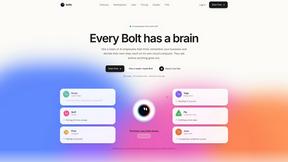
Bolts
AI employees with a brain that think, remember your business and work 24/7 on their own cloud computers.
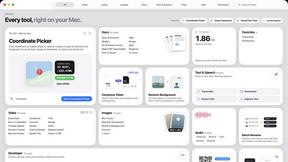
Toolbox
96 private Mac tools in one app: compress video, sign PDFs, remove backgrounds, transcribe. Offline, no account, pay once.

Safe Outreach
AI-powered platform that evaluates the safety of LinkedIn automation tools and helps reduce the risk of account restrictions.

ConnectMachine
Still handing out paper business cards? ConnectMachine is a free digital business card that saves straight into the other person's contacts.


Uniclip
Clip pages, take full-page screenshots and batch-capture list data to Notion, Feishu, Obsidian, Markdown, CSV or JSON.

TroveKey
Search tabs, Chrome bookmarks and history, run browser commands, and save webpages and social posts locally—no account.

Bloom
An adaptive AI tutor that turns topics or your materials into courses, lessons, and answers tailored to how you learn.

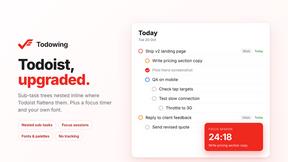
Todowing
Chrome extension that nests Todoist sub-tasks in Today, Upcoming, Boards, Filters and Labels. Free tier, or $19.99 once for the full set.

LightScreen
Free light screen tool online. Turn any display into a flashlight, ambient light, or solid-color screen. No download or sign-up.
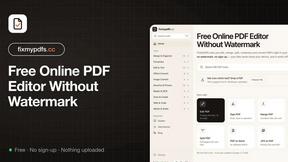
FixmyPDFs.cc
FixMyPDFs lets you edit, merge, split, compress and convert PDFs right in your browser. 100% free, no watermark, no sign-up.

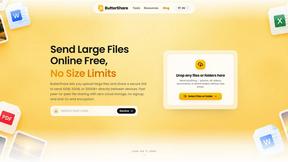
ButterShare
Transfer files between iPhone, Android, Windows, and Mac directly from your browser. Free, secure, and private. No apps, cloud storage, or signup.
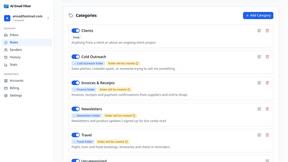
AI Email Filter
AI Email Filter sorts incoming mail into folders using plain-language prompts you write. Works with any IMAP mailbox; bring your own LLM if you want.


Product Launch Checklist
A free launch checklist for SaaS, apps, AI tools and more. Every step says why it matters and when you can skip it.
About Caesura Alternatives
For professionals and remote workers who spend extended hours at a desk, Caesura offers a streamlined approach to wellness by functioning as a calm macOS menu-bar break manager. It falls within the intersection of productivity, health, and lifestyle software, helping users maintain physical well-being without disrupting their workflow. Users commonly search for alternatives to Caesura due to factors such as pricing preferences, the need for cross-platform support beyond macOS, or a desire for more granular control over reminder types and scheduling. Others may seek a solution with a different visual style or one that integrates more deeply with existing calendar or task management systems. When evaluating an alternative to Caesura, it is important to prioritize tools that offer independent scheduling for different break types, such as hydration, stretching, and eye rest, to ensure comprehensive coverage of your wellness needs. Look for features that minimize interruptions, such as coalescing reminders that fall close together, to maintain deep focus. Additionally, consider the platform compatibility, the presence of a free trial or tier, and the overall simplicity of the interface, as the best alternative will provide timely nudges without adding clutter or requiring accounts. The ideal replacement should feel like a gentle, supportive companion rather than an intrusive taskmaster, seamlessly fitting into your daily routine.
FAQs about Caesura Alternatives
What is Caesura?
Caesura is a calm macOS menu-bar break manager designed for people who spend long days at a desk. It provides gentle reminders to drink water, walk, stretch your wrists, rest your eyes, check your posture, and breathe, each on its own independent schedule. When two reminders fall close together, Caesura coalesces them into one gentle break to avoid interrupting you twice in a row. It requires no accounts and offers a clutter-free experience with a 14-day free trial.
Who is Caesura for?
Caesura is specifically designed for anyone working long hours at a desk, including remote workers, developers, designers, writers, and other professionals. It is ideal for individuals who want to maintain their physical health and well-being without breaking their focus or workflow. The app is built for macOS users who prefer a minimal, menu-bar-based tool that operates quietly in the background.
Is Caesura free?
Caesura offers a 14-day free trial so you can test its features before committing. After the trial period, a purchase is required to continue using the app. The pricing model is straightforward with no hidden fees, and because it requires no accounts or subscriptions, you can evaluate it with minimal setup. This makes it easy to decide if the gentle, coalesced reminders fit your routine.
What are the main features of Caesura?
The main features of Caesura include independent scheduling for reminders to drink water, walk, stretch your wrists, rest your eyes, check your posture, and breathe. It coalesces reminders that fall close together into a single, gentle break to minimize interruptions. The app operates entirely from the macOS menu bar with no accounts, no clutter, and no complex setup. It provides timely nudges that keep you healthy without breaking your focus.