
Alternatives to KPI Studio
Explore the best alternatives and competitors to KPI Studio.
Explore 11 alternatives to KPI Studio. Compare features, pricing, and find the best fit for your needs.

LinkedIn Translator
Turn plain English into credible LinkedIn writing—or decode jargon into direct language.
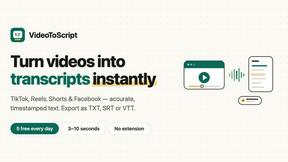
VideoToScript
Turn TikTok, Reels, Shorts, Facebook videos, audio, and video into accurate timestamped transcripts with TXT, SRT, and VTT exports.


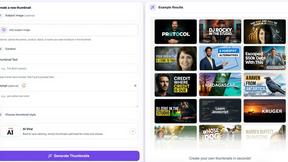
StopScroll
AI YouTube thumbnail maker that helps creators generate high-click thumbnails faster.



Masset
Masset connects your scattered business content so your team and AI tools tell your story accurately every time.

Supaslides
Supaslides instantly transforms any brand link into animated, on-brand social media carousels ready to export in 60 seconds.
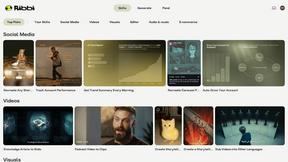
Ribbi
Ribbi is a self-evolving creative AI agent that automates and replicates your social media content to grow your account.

ChatGPT Image 2
ChatGPT Image 2 is an all-in-one AI workspace for generating, editing, and transforming images and videos with professional-grade quality.
About KPI Studio Alternatives
KPI Studio is a specialized content creation tool designed for data-driven video creators who need to transform raw numbers into polished, animated video charts quickly and efficiently. It falls into the niche category of data visualization for video, sitting at the intersection of motion design and business intelligence. Users commonly look for alternatives due to specific needs such as a different pricing model that better fits their budget, a desire for more advanced customization of chart aesthetics, or the requirement for native integrations with specific video editing software or data sources that KPI Studio does not directly support. When evaluating alternatives to KPI Studio, key factors to consider include the speed of the workflow, the precision of data rendering, and the flexibility of export options. Look for a solution that minimizes the time between inputting data and having a final, video-ready graphic, ideally offering transparent background exports for seamless compositing. Additionally, assess whether the tool supports the specific chart types you need, offers JSON or similar data interchange for custom pipelines, and provides a predictable output that does not require manual correction, as the primary value of such a tool is its reliability and efficiency under a tight publish schedule.
FAQs about KPI Studio Alternatives
What is KPI Studio?
KPI Studio is a specialized software tool that allows users to quickly animate raw data into polished, video-ready charts. It is designed to eliminate the need for complex motion design software or manual editing by enabling users to paste data, select a chart type, and export a fully animated visual in under 60 seconds. The tool is built for integration into professional video editing workflows, offering exports with transparent backgrounds for direct use in software like Premiere Pro and Final Cut.
Who is KPI Studio for?
KPI Studio is built for data-driven video creators, including content creators, journalists, analysts, and marketers who need to include animated charts in every video. It is specifically designed for professionals who work on a regular publish schedule and require a fast, reliable method to generate data visuals without learning motion design or waiting for freelancers. The tool serves users who find screenshots amateurish, Canva templates too rigid, and After Effects workflows too time-consuming.
Is KPI Studio free?
Based on the provided product content, there is no explicit mention of KPI Studio being free or detailing its pricing structure. Typically, tools of this nature operate on a subscription or one-time purchase model to support ongoing development and server costs for data processing. Users should refer to the official KPI Studio website for the most current pricing information and any available free trial options.
What are the main features of KPI Studio?
The main features of KPI Studio include the ability to paste raw data and generate an animated chart in under 60 seconds without using timelines, keyframes, or complex setup. It supports export with a transparent background, allowing charts to be dropped directly into video editing software like Premiere Pro, Final Cut, or After Effects without additional editing. For advanced users, the tool also offers JSON export for deeper customization and integration into custom data visualization pipelines.